Done-for-You AI Setup
The tools you already pay for,finally doing the work.
I set up the reminders, follow-ups, assistants, and connections your business keeps meaning to get to. Everything runs in your accounts, and I show you how it works before I step back.
Example
Anyone not confirmed for tomorrow?
Two people. I texted them a reminder.
Done. Both confirmed for 6:00 and 7:15. ✓


You've tried the apps. They almost work.
That's the frustrating part. The app does most of what you need, and the gap is where your evenings go.
Nothing fits how you work
Every app wants you to change how you run your business to match its screens. The part that makes you good at what you do gets treated like an exception.
Your apps don't talk to each other
Bookings in one place, messages in another, invoices in a third. Someone copies information between them, and usually that someone is you.
The missing piece is small but specific
You can describe exactly what you need: "text them the day before, and if they reply R, offer three times." No app does quite that out of the box.
You probably don't need new software.
A focused setup can connect the tools you already use, handle the step they leave out, and give you one reliable way to get the job done.
What a setup can look like
Every setup is different because every business is. These are the kinds of jobs I set up.
Reminders
Reminders and confirmations
Appointment reminders, confirmations, and rebooking offers that send themselves.
Follow-ups
Follow-ups that don't slip
Quotes, inquiries, and unpaid invoices get a polite nudge on schedule, and you only hear about the replies.
Assistant
An AI assistant that knows your business
Set up with your prices, policies, and FAQs, so the answers are yours, not the internet's.
Connections
Your apps, connected
A new booking lands on the calendar, the client list, and the invoice without anyone re-typing it.
Paperwork
Paperwork handled
Intake forms, receipts, and invoices sorted, filed, and summarized.
Content
Posts and newsletters, faster
A simple way to turn what you already know into posts and emails in your own voice.
And the small tool you keep wishing existed. If a job follows rules, repeats, and eats hours, it's probably a candidate.
When a setup makes sense
An app on its own is often the right place to start. A setup makes sense when a job has outgrown the app and the workarounds holding it together.
Just the app
You bend your process to fit the app
The way you've always done it gets squeezed into someone else's screens.
Part of the job still happens outside it
The rest lives in texts, spreadsheets, sticky notes, and your memory.
You wait for the feature you need
It's "on the roadmap." The roadmap is built for their biggest customers.
The workaround keeps growing
More steps, more subscriptions, more evenings.
A setup built around you
It follows how you already work
Your steps, your exceptions, your wording.
It handles the missing step
The copy-paste, the reminder, the hand-off between apps.
It uses what you already have
Your email, calendar, booking app, and AI subscription stay in place.
You own it
It runs in your accounts, with your passwords, and keeps working without me.
Examples of what this can look like
A personal trainer
Session reminders the night before, a one-tap reschedule, and a note to the trainer only when someone doesn't reply.
A two-chair salon
A rebooking text six weeks after each visit, with open times pulled from the booking app.
A contractor
Every quote gets a follow-up after three days and again after a week, until the customer says yes or no.
A small office
Receipts forwarded to one address are read, sorted by category, and added to the bookkeeping sheet.
Illustrations of the kind of setup I do, not results from a client.
You decide how much it does on its own
Nothing reaches a customer until it has been tested hard, odd cases included. After that, each job gets the level of checking it needs.
Runs on its own
Low risk, mostly fixed wording
A reminder or a thank-you note with one personal line. Tested against every odd case we can think of, then spot-checked now and then.
You approve before it sends
Anything a customer reads that matters
It drafts the reply or the quote. You tap send, or fix it first.
Works alongside you
Detailed or sensitive work
It does one section at a time, and you steer it before it moves on.
How a setup runs
Step 1
Learn the job
I watch how the job gets done today and write down every step, exception, and app it touches.
One session, in person or on video.
Step 2
Agree on it in writing
What it will do, what it connects to, how we'll know it's working, the price, and the date.
A one-page scope with a fixed price.
Step 3
Set it up and test it with you
I build it inside your accounts, and we run real examples and odd cases through it before it goes live.
Scoped to be running within two weeks.
Step 4
Hand it over
I show you how it works, how to change the wording, and what to do if something looks off. You also get a short list of test examples to re-run after the AI tools update.
A short walkthrough and a written how-to.
Step 5
Check in
After a week of real use, we look at whether it's doing what we agreed and fix the rough edges.
Ongoing help is available, never required.
Who's doing the work
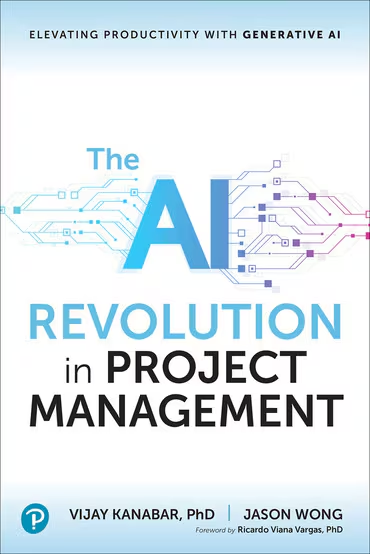
Global rollout of TakVisor, the AI platform I led, across 25+ Takeda sites in 5 regions. It cut document search from 45 minutes to under 5.
A $160M+ IT portfolio governed at Boston Medical Center, across 20+ teams and 150+ people. I was one of the leaders who implemented its PMIS, moving project, program, and portfolio management off an all-Excel start.
One of the first AI-integrated project management graduate courses in the country, which I designed and teach at Boston University.
Where this fits
Not sure where to start? Start with the assessment. If you already know the job you want gone, go straight to a setup. Training works on its own or alongside either one.
1. Start here
AI Time-Back Assessment
I map how your business actually runs and hand you a ranked list of the jobs AI and better tools can take off your plate.
- About 1–2 weeks
- Fixed fee
2. Then
Done-for-You AI Setup
I set up the reminders, follow-ups, assistants, and connections inside the tools you already pay for, then hand them over working.
- Runs in your accounts
- Fixed price per job
You're here3. Anytime
Hands-On AI Training
You and your team learn to hand AI real work, practicing on your own tasks, in person or remote.
- 1 to 25 people
- Taught by a BU adjunct professor
Not sure which fits? The free 30-minute call sorts it out. I'll tell you what I'd do in your shoes, even if the answer is "nothing yet."
Setup questions
Do I need the assessment first?
No. If you already know the job you want gone, we can scope it on the free call. The assessment is for when you're not sure where to start.
What tools do you use?
Yours, first: your email, calendar, booking app, and any AI subscription you have. If something new would clearly pay for itself, I'll say so and show you why before you buy it.
Who owns it when it's done?
You do. It runs in accounts you control, with your passwords. If anything needs its own subscription, you'll know before you approve the work.
What if something breaks?
The check-in after a week of real use is part of every setup. After that, you can book help by the hour when you need it. You're never locked into a contract.
Will it send things without anyone checking?
Only if you want it to, and only for low-risk jobs we've tested hard. Anything that matters to a customer can wait for your OK before it goes out.
What happens when the AI tools update?
The AI companies change their models often, and answers can drift. Your hand-over includes a short list of test examples with the answers we expect. Re-run them now and then, or have me do it.
Can you connect it to the apps I already use?
Usually, yes. Before I quote, I check that your apps allow it and what, if anything, it would cost.
How do I know it's worth doing?
We agree up front on what "working" means: hours back, faster replies, fewer no-shows, fewer mistakes. If a job isn't worth setting up, I'll tell you.
Schedule a free 30-minute consultation.Tell me the one job you're sick of doing.
- Format
- 30-minute call
- Price
- Free
- How
- Phone or video
What to expect
- A reply within one business day
- A fixed price in writing before any work
- No new software to learn
Prefer email? jason@jason-wong.com